

Account takeover (ATO) attacks often start with access that looks legitimate.
An attacker uses a stolen password, a leaked session token, a phishing link, or a fake login page to get into a real account. Once inside, they can move quietly because the system sees a trusted user.
For your business, that creates direct risk. ATO attacks can lead to fraud, data theft, executive impersonation, vendor abuse, and customer trust issues.
ATO is hard to detect because attackers use valid accounts. Stolen credentials remain the dominant entry point in real-world breaches — Verizon’s 2025 Data Breach Investigations Report found credential abuse drove 22% of breaches and was involved in 88% of basic web application attacks.
The challenge is that security tools may see a normal login, not a break-in. Support teams may see a password change, not fraud. Finance teams may see a payment request, not an impersonation attempt.
This guide explains how account takeover attacks work, why they are hard to detect, and what your team can do to stop them earlier.
What Is an Account Takeover Attack?
An account takeover attack happens when an attacker gains control of a real user account.
That account could belong to a customer, employee, executive, vendor, or admin. Once attackers get in, they can use the account to steal data, commit fraud, change account details, send messages, or access connected systems.
ATO is different from simple credential theft. Credential theft is the stealing of usernames, passwords, or session data. Account takeover is what happens when attackers use that access.
For your business, the risk is bigger than one compromised login. A single account can give attackers a trusted path into customer data, payment tools, internal files, or partner systems.
That is what makes ATO dangerous. Attackers do not always need to break in by force. They can sign in with access that already works.
How Do Account Takeover Attacks Work in Practice?
Most ATO attacks follow the same basic pattern: get access, avoid detection, and use the account before your team catches it.
Here’s how it often works:
1. Attackers collect access points
They gather leaked passwords, phishing results, malware logs, session cookies, or recovery details from past breaches and underground markets.
2. They test what works
Attackers try those credentials across login pages, customer portals, SaaS tools, and single sign-on systems. This can include credential stuffing, where bots test stolen usernames and passwords at scale.
3. They bypass extra checks
Some attackers use phishing pages, MFA fatigue, stolen session tokens, or social engineering to get past login controls.
4. They act like the real user
Once inside, they change account details, steal data, move money, send messages, create new access, or target connected systems.
5. They use the account for a bigger goal
A customer account may be used for fraud. An executive account may be used for impersonation. A vendor account may give attackers access to your systems or data.
Common scenarios include:
- Customer accounts targeted for financial fraud or loyalty theft.
- SaaS and single sign-on (SSO) platforms compromised, enabling broad access.
- An executive account gets used to request a wire transfer or sensitive document.
- Supply chain attacks via third-party access to infiltrate multiple organizations.
Why Security Measures Struggle Against ATO
Passwords and MFA help, but they do not stop every account takeover attack.
Many ATO attacks use access that already looks valid. The attacker may have the right password, an approved MFA prompt, a stolen session token, or access to a trusted device.
That creates gaps that most login controls were not built to catch.
Common weak points include:
- Password reuse: Attackers use credentials leaked from another service.
- MFA fatigue: Attackers send repeated login prompts until a user approves one.
- Phishing pages: Fake login pages collect passwords and MFA codes in real time.
- Session theft: Malware steals cookies or tokens, letting attackers skip the normal login step.
- Weak recovery flows: Attackers abuse password reset, email recovery, or helpdesk processes.
- Trusted devices: Once a device or session is trusted, future activity may face fewer checks.
The problem is not that these controls are useless. The problem is that attackers now work around them.
Your team needs visibility after login, not just at login. Watch for unusual device changes, risky session activity, privilege changes, payment updates, and account behaviour that does not match the real user.
How AI Is Changing Account Takeover Attacks
AI and automation make ATO faster, harder to spot, and easier to scale.
Attackers can use automation to test credentials, sort working accounts, and target high-value users without much manual work. AI can also help them write better phishing messages, mimic normal user behaviour, and create fake audio or video that looks more convincing.
The biggest changes are:
- Faster credential testing: Bots can check large credential lists and find working accounts quickly.
- Better phishing messages: AI-written messages can sound more natural and personal.
- Behaviour mimicry: Attackers can copy normal login times, device patterns, and session activity to avoid basic alerts.
- Deepfake impersonation: Fake voice or video can make executive impersonation and support scams more believable.
- Multi-step fraud: Bots can log in, change settings, test payment methods, and move through workflows with less human input.
This does not mean every ATO attack uses advanced AI. Many still rely on leaked passwords, phishing, and weak recovery flows.
But AI lowers the effort needed to run more believable attacks at scale. That means your team needs detection that looks at behaviour, context, and exposed credentials together.
How to Prevent ATO Attacks
To prevent account takeover, your team needs to reduce stolen credential use, protect active sessions, and spot risky behaviour after login.
Start with these controls:
- Use passwordless login where possible: Passkeys and FIDO2 reduce the risk of stolen passwords because users do not type a password that attackers can steal or reuse.
- Require MFA, but do not rely on it alone: MFA helps, but attackers can still use phishing, MFA fatigue, or stolen sessions. Treat MFA as one layer, not the full plan.
- Block known leaked passwords: Stop users from choosing passwords that already appear in breach data.
- Monitor exposed credentials: Watch breach lists, malware logs, forums, and dark web markets for employee, customer, and vendor credentials tied to your company.
- Protect sessions and tokens: Watch for stolen cookies, unusual session reuse, impossible travel, new devices, and sudden account changes.
- Use bot detection and rate limits: Slow automated login attempts, credential testing, and account checking.
- Harden account recovery: Review password reset flows, helpdesk checks, backup emails, and phone-based recovery. Attackers often target recovery paths because they are easier than login controls.
- Watch behaviour after login: Flag unusual payment changes, data exports, admin changes, mailbox rules, or login patterns that do not match the real user.
The goal is to add checks where risk changes. A known device logging in from a normal location may need less friction. A new device using exposed credentials or changing payment details should trigger stronger checks more quickly.
Digital risk protection helps your team act earlier by finding the outside signals that often lead to ATO, such as leaked credentials, phishing infrastructure, impersonation attempts, and malware-exposed data. That context helps you decide which accounts need resets, stronger checks, or closer review.
What Should You Do If You Suspect an Account Takeover?
When you suspect an account takeover, you must act right away. Your goal is to cut off access, protect affected users, and find out what the attacker did.
You can use this response flow:
1. Disable or restrict the account
Lock the account, step up verification, or limit access until your team confirms the user is safe.
2. Revoke active sessions
Sign the user out across devices. This cuts off attackers who are already inside.
3. Reset credentials and recovery details
Reset the password, rotate API keys where needed, and review backup emails, phone numbers, and recovery methods.
4. Review account activity
Check for payment changes, new devices, mailbox rules, data exports, privilege changes, suspicious messages, and new connected apps.
5. Check for wider exposure
Look for leaked credentials, malware logs, phishing pages, lookalike domains, or impersonation attempts tied to the account or company.
6. Notify affected users
Explain what happened, what you changed, and what they need to do next. Keep it clear and direct.
7. Coordinate across teams
Security, IT, fraud, support, legal, and comms should work from the same facts. This keeps responses quicker and reduces mixed messages.
8. Document what happened
Record the timeline, affected accounts, attacker actions, response steps, and control gaps. Use it to improve the next response.
Do not stop at the password reset. ATO often touches recovery settings, active sessions, connected apps, payment details, and internal workflows. Your team needs to check the full account trail before closing the case.
Protect Your Business From Account Takeover Threats
Account takeover does not always start inside your systems. It often starts with exposed credentials, malware logs, fake login pages, lookalike domains, or impersonation attempts that your internal tools may not see.
A digital risk protection platform helps your team find those outside signals earlier.
It can help you monitor for:
- Leaked employee, customer, vendor, or executive credentials
- Malware-exposed session data and account details
- Fake login pages built to steal passwords and MFA codes
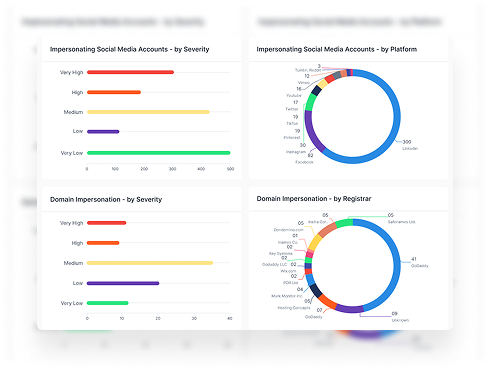
- Lookalike domains used for phishing or fraud
- Impersonation attempts targeting customers, employees, or partners
- Dark web mentions tied to your company, brand, or people
That visibility gives your team more time to act.
Instead of waiting for suspicious activity inside an account, you can spot the warning signs before attackers turn access into fraud, data theft, or brand damage.
The goal is to find exposed access, understand which accounts are at risk, and stop account takeover before it spreads.
Book a demo to see how Styx helps detect exposed credentials, monitor external threats, and reduce account takeover risk.