


What is Pretexting in Cybersecurity?
Pretexting is a type of social engineering where someone invents a story to trick a person into giving up information, money, or access.
The story drives the attack. Remember, the attacker is not breaking into your systems; they are posing as someone your team already trusts.
That could look like:
- A CFO asking for an urgent wire
- An IT tech asking to reset multi-factor authentication
- A vendor asking to update banking details
- A recruiter asking a candidate to upload ID documents
- A support agent asking a customer to confirm account details
The request looks normal, but the person making it is not who they say they are.
Pretexting can happen through almost any channel:
- Email, often inside a thread that already feels familiar
- Phone calls, with spoofed caller ID or stolen context
- Video calls, including calls with deepfake faces or voices
- SMS and chat apps, such as WhatsApp, Slack, or Microsoft Teams
- In person, with a fake badge, uniform, or visitor’s pass
A clear example came in early 2024. A finance employee joined a video call with people who appeared to be the company’s CFO and other colleagues. The call was fake. The attackers used deepfake video and voice to make the request feel legitimate. The employee transferred funds, and engineering firm Arup later confirmed it had been the victim of a $25 million deepfake scam.
Why Does Pretexting Work Even When Your Team Has Training?
Pretexting works because it does not always feel like an attack.
It often feels like normal work.
A finance analyst gets a payment request from someone who sounds senior. Or a help desk agent gets a reset request from someone who knows the employee’s title, manager, and last login issue. Or a vendor manager gets a banking update from a supplier whose name appears in the right contract.
None of those moments feel strange on their own.
That is the point.
Attackers use four things that already shape workplace decisions:
- Authority: “This came from the CFO.”
- Urgency: “This needs to happen before the deadline.”
- Familiarity: “They know our vendor, project, and team names.”
- Routine: “This looks like the kind of request I handle every week.”
Security training helps people spot obvious scams. Pretexting is harder because the attacker removes the obvious parts. There may be no strange attachment, no broken English, no odd link, and no fake prize. The message or call fits the person’s job.
That is why human-driven attacks remain a core breach path. Verizon’s 2025 Data Breach Investigations Report found that the human element played a role in 60% of confirmed breaches. That does not mean people are careless. It means attackers keep finding ways to turn trust, pressure, and process gaps into access.
The issue gets worse when attackers can study the company first. Public org charts, LinkedIn updates, leaked credentials, press releases, job posts, vendor pages, and social media activity all help shape the story.
How is Pretexting Different From Phishing?
Pretexting and phishing often overlap, but they are not the same.
Phishing usually starts with a message that pushes someone to click, download, or sign in. It often relies on scale. One email can go to thousands of people.
Pretexting relies on context. The attacker builds a believable story around one person, one team, or one process.
| Area | Phishing | Pretexting |
| Main tactic | Pushes a link, file, or login page | Builds trust through a false story |
| Common channel | Email, SMS, fake websites | Email, phone, video, chat, or in person |
| Targeting | Often broad | Often role-based or person-specific |
| Timing | Usually quick | Can unfold over days or weeks |
| Goal | Steal credentials, install malware, collect data | Get access, money, approvals, or sensitive details |
A phishing email might say, “Your password expires today. Click here to reset it.”
A pretexting attack might start with, “This is IT. We saw failed login attempts on your account. Can you confirm the code I just sent?”
That second request feels more personal because the attacker acts like they are already helping. That is why help desk and identity workflows need extra checks. Groups like Scattered Spider have used social engineering against help desks to reset credentials and bypass controls, according to a joint FBI and CISA advisory.
The key difference is the story. Phishing pushes. Pretexting persuades.
How Does a Pretexting Attack Work?
A pretexting attack usually follows four steps: research, contact, trust, and ask.
1. Research
Attackers start with public and leaked data.
They look for names, roles, reporting lines, vendors, events, invoices, open jobs, software tools, and recent company news. An older but still useful note from Carnegie Mellon University explains that pretexting often starts with details gathered from public sources.
That research gives the attacker a script.
2. Contact
Next, the attacker chooses the channel.
They may send an email, call the help desk, message an employee on LinkedIn, join a video call, or text someone on a personal phone. The channel depends on the goal.
- A password reset may start with the help desk.
- A payment request may start with email or chat.
- A fake executive request may move to voice or video.
3. Trust
The attacker uses details that make the request feel normal.
They may name a manager, mention a project, refer to a vendor, or copy the tone of an internal message. They may also create pressure by saying the request is confidential or time-sensitive.
This is where pretexting becomes hard to spot. The attacker sounds prepared because they are.
4. Ask
The ask is the action the attacker wants.
Common asks include:
- Reset this password
- Share the MFA code
- Update this vendor bank account
- Send this file
- Approve this payment
- Open this private link
- Confirm this customer record
The attack does not need to be complex. It only needs to match the person’s job, arrive through a channel they trust, and create enough pressure to skip a second check.
What Pretexting Patterns Should Teams Watch?
Pretexting changes by target, but most attacks fall into a few patterns.
Let’s take a look.
1. Executive impersonations
The attacker pretends to be a CEO, CFO, or board member and asks someone to send money, share files, or keep a request private.
The Arup case showed how far this can go. Attackers used deepfake video and voice on a fake executive call, which led to a $25 million loss.
2. Help desk credential resets
The attacker contacts IT support and pretends to be an employee who is locked out.
They may know the employee’s manager, role, phone number, or recent travel. That detail helps them pass weak identity checks.
In 2023, attackers tied to Scattered Spider used social engineering against MGM Resorts. The company later reported about $100 million in impact.
3. Vendor and invoice fraud
The attacker pretends to be a known supplier and asks finance to update payment details.
This works because vendor changes already happen in normal business. A new bank account, contact name, or invoice format may not look odd unless your team has a strict callback rule.
4. Support agent targeting
Attackers may target customer support or outsourced staff because they can access customer records.
Coinbase disclosed in May 2025 that overseas support agents were bribed to leak data tied to about 69,461 customers. Coinbase said the attackers used that data to support customer scams, according to its SEC filing.
5. IT support scams
The attacker pretends to help with a login issue, device problem, or account alert.
The goal is to get a password, MFA code, session token, or remote access. These attacks often start small, then turn into account takeover or data theft.

What Increases Pretexting Risk?
Pretexting gets stronger when attackers can collect better details before they contact your team.
That detail usually comes from outside your systems. It sits in public profiles, leaked passwords, fake domains, vendor pages, job posts, exposed documents, and private forums.
The attack starts before the message arrives.
What attackers collect before the pretext
| Source | What attackers learn | How they use it |
| Leaked credentials | Valid emails, old passwords, login portals | Pretend to be IT or attempt account access |
| Executive exposure | Names, voices, travel, priorities, reporting lines | Impersonate leaders or time requests |
| Vendor details | Suppliers, invoices, tools, contacts | Fake payment changes or support issues |
| Lookalike domains | Brand-like web addresses and fake portals | Make the request look official |
| Social profiles | Roles, teams, promotions, public posts | Personalize the message or call |
This is why pretexting often feels tailored. The attacker is not guessing. They are using information your company already exposed or lost.
A leaked password does not need to work to create risk. It can still confirm that an account exists. That helps an attacker pose as IT or reference a login issue. This is why stolen credentials create such a direct path into companies.
Executive exposure adds more context. Interviews, event pages, bios, and social posts help attackers shape a believable request. That is the same public data that makes executive impersonation harder to spot.
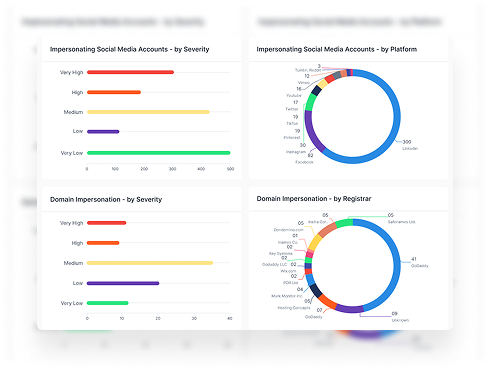
Fake assets support the story. A lookalike domain, copied support profile, or fake executive account gives the attacker something to point to when someone checks. That is where social media impersonation becomes part of the pretext.
Some attackers also use data from forums and markets. Exposed emails, customer records, and old breach data can help them choose who to call and what to say. Dark web monitoring helps teams catch that exposure earlier.
The fix starts with cutting the supply. Reduce exposed data, watch for fake assets, and tighten checks around the workflows attackers target most.
Why Doesn’t Training Alone Stop Pretexting?
Training matters. It helps people spot strange requests, slow down, and report concerns.
But training has a ceiling.
Pretexting does not always look like a scam. It often looks like a normal task from a trusted person. A trained employee can still approve a request when the attacker knows the company, the tool, the vendor, and the timing.
That is why more training cannot be the only answer. The 2025 Verizon DBIR found that the human element appeared in 60% of confirmed breaches. Attackers keep targeting people because business processes still depend on trust.
Training helps people react. External visibility helps your team act earlier.
What can you do instead?
What Should Your Team Do Now?
Pretexting prevention needs 3 layers: less exposed data, stronger checks, and sharper training.
1. Reduce what attackers can learn
Start with the data that makes pretexts sound credible.
Check for:
- Leaked employee credentials
- Exposed executive phone numbers and emails
- Fake social profiles using your brand or leaders
- Lookalike domains tied to login pages
- Public vendor details that reveal finance workflows
This cuts the detail attackers use before the first call.
2. Add checks to high-risk workflows
Pretexting often targets routine work, not rare events.
Set firm rules for:
- Vendor bank changes
- Password and MFA resets
- Executive payment requests
- Sensitive file transfers
- New device approvals
Use a known phone number, not the number in the message. Require a second approver for payment or access changes.
3. Train by role
Generic training misses how pretexting works.
Finance needs vendor and payment scenarios. Help desk teams need reset and identity checks. Executives need impersonation drills. HR needs fake candidate and recruiter scenarios.
The goal is not more training, but training that matches the request each team is most likely to get.

What Red Flags Should Teams Use Today?
A pretexting request deserves a second check when it includes:
- Urgency that pushes someone to skip process
- Secrecy, such as “do not loop anyone else in”
- A request to move to WhatsApp, SMS, or a personal email
- A payment change tied to a new bank account
- An MFA reset request with weak identity proof
- A vendor request that changes normal contact details
- An executive request that arrives through a new channel
- A caller who knows some details but avoids a callback
The safest rule is clear: verify the request outside the channel where it arrived.
Use a known number. Check the vendor record. Ask a second approver. If the request is legitimate, the extra check will not break the process.
Book a demo to see what attackers can already use to impersonate your people, vendors, and brand.