

Typosquatting is the practice of registering domain names that look almost identical to a real brand’s. That could mean a swapped letter, a missing character, a different top-level extension, or a character from another alphabet that looks like the original.
Attackers register these domains in bulk, then use them to phish customers, impersonate the brand on email, host fake login pages, deliver malware, or pull traffic that was meant for the real site.
It is one of the most common building blocks of brand-side attacks, and one of the least watched.
Most organizations have no visibility into who is registering domains that resemble theirs until a customer reports a suspicious email or a duplicate site. By that point, the typosquatted domain has usually been live for weeks and has already been used.
This post covers what typosquatting is, how an attack actually works, where it overlaps with cybersquatting and domain spoofing, the cases that made headlines, and what a security team needs in place to find and remove typosquatted domains before they get used against customers.
What is typosquatting?
Typosquatting is when attackers register domains that look like your real domain.
They rely on small mistakes people make when typing or reading a URL. That could be a missing letter, a doubled character, a swapped letter, or a different ending like .co instead of .com.
The goal is to make visitors think they are on the real site.
The U.S. Cybersecurity and Infrastructure Security Agency (CISA) describes typosquatting as the registration of misspelled variants of legitimate domains for malicious purposes.
In practice, attackers use these domains to steal credentials, host fake login pages, send phishing emails, spread malware, or impersonate your brand.
How a typosquatting attack works
A typosquatting campaign usually moves through five stages.
Let’s take a look:
1) Target selection
Attackers pick a brand whose customers move money, share credentials, or download software. Banks, payment platforms, government login portals, online retailers and popular open-source package registries are common targets.
2) Permutation
The attacker generates lookalike domains using one of a handful of techniques. The most common patterns are:
- Character substitution: Replacing one letter with a similar one (paypa1.com, microsft.com)
- Character omission: Dropping a single letter (gogle.com, amazn.com)
- Character doubling: Repeating a letter (gooogle.com)
- Homoglyph swap: Using a non-Latin character that renders identically (the Cyrillic “а” in place of the Latin “a”)
- TLD swap: Keeping the brand name and changing the extension (yourbrand.co or yourbrand.support instead of yourbrand.com)
- Subdomain mimicry: Stacking the real brand name on the front of an unrelated domain (yourbrand.login-security.io)
3) Registration
Attackers buy hundreds of permutations cheaply through bulk registrars or reseller programs, often using privacy services to hide ownership.
4) Weaponization
Once registered, the domain gets connected to attack infrastructure, such as:
- A clone of the real login page that captures credentials
- A mail server configured to send messages that look like they come from the brand
- A fake support, payment, or job page used to collect personal data
- A malware-hosting page that pushes downloads or unsafe redirects
5) Activation
The campaign goes live. Phishing emails get sent, paid ads get bought, social posts get pushed, or QR codes get printed. The timing is often aligned to a real-world event: a product launch, tax season, an election cycle, or a major sale.
Most defenders miss the part in between. Registration and weaponization usually happen weeks before activation. There is a window where the lookalike domain exists, the infrastructure is being prepared, and the attack has not yet started. That is when takedown is easiest and least costly.
Typosquatting vs cybersquatting vs domain spoofing
These terms often get mixed together. They are related, but they are not the same. The difference matters because each one needs a different response.
Typosquatting means registering domains that look like your real domain. Attackers rely on typos, small visual changes, or missed details to earn trust.
Cybersquatting means registering a domain tied to a brand, trademark, or public name in bad faith. The goal may be to resell it, divert traffic, mislead users, or profit from the brand’s reputation. The classic 1990s case was a third party registering madonna.com before the artist’s team did.
Domain spoofing means making an email appear to come from a domain the attacker does not own. It often succeeds when email authentication is missing, misconfigured, or not enforced.
In real attacks, these tactics often overlap. A lookalike domain can host a fake login page, send phishing emails, and impersonate your brand at the same time.
That is why brand protection teams should treat domain abuse, email abuse, and impersonation as one connected problem.
Real-world typosquatting examples
A few cases show how lookalike names and domains become real risk.
Brand impersonation at scale: In 2024, Zscaler ThreatLabz analyzed more than 30,000 lookalike domains across over 500 popular domains. More than 10,000 were malicious. The findings show how attackers use small domain changes to support phishing, brand impersonation, and credential theft.
Microsoft phishing impersonation: Microsoft remains one of the most copied brands in phishing. Attackers use lookalike domains and fake login pages because users expect to enter credentials into Microsoft services. That trust makes Microsoft-themed lures useful for stealing corporate logins.
Lodash-themed npm packages: Typosquatting also affects software supply chains. In 2024, Sonatype found npm packages named like the popular lodash JavaScript library. These packages used typosquatting and carried a modified AnyDesk utility targeting Windows developers.
Election-themed domains: During the 2024 U.S. election cycle, CSC found 59,000 election-themed domains that were not owned by candidates, political parties, or voting organizations. These registrations spiked around major events, showing how attackers prepare domains when public attention is high.
The pattern repeats in every case. A domain that resembles a known name, registered cheaply, activated the moment the attacker has somewhere to send traffic.
Why typosquatting is a brand protection problem
Most companies treat typosquatting as a domain-buying problem.
You may think that you can buy the common typos, foreign extensions, and lookalike variants, and the issue should go away. But the math does not work.
There are too many possible versions of a real domain. Defensive registration only covers a small set. Attackers can register the rest when they need them.
That cost gap creates a problem. Your team may spend more each year buying parked domains while attackers keep registering cheap lookalikes that slip through.
The work that makes the biggest difference is detection, monitoring, and takedown.
A typosquatted domain can become dangerous before customers ever see it. It may request a certificate, connect to hosting, set up email records, or point to a fake login page before the campaign launches.
That early window matters.
When your team catches a lookalike domain before the page goes live or before email is configured, takedown is easier, faster, and less costly. It also reduces the chance that customers, employees, or partners will trust the fake site.
How to detect typosquatting against your domain
A strong detection program does not wait for customers to report fake sites.
It watches the places where lookalike domains usually appear first.
New domain registrations:
Attackers often register lookalike domains before they use them. Monitoring new domain registrations helps your team spot names that resemble your brand, products, executives, or common login pages.
Certificate transparency logs:
When a domain requests an HTTPS certificate, it appears in public certificate records. This can reveal a typosquatted domain before the fake site is fully live.
DNS activity:
DNS activity shows when a domain starts resolving or receiving traffic. This helps your team see when a parked lookalike domain starts becoming active.
Email setup:
Attackers may configure lookalike domains to send phishing emails. Monitoring email records, mail servers, and authentication signals can help identify domains being prepared for brand impersonation.
The strongest detection comes from combining these signals.
A parked domain may be low priority. A lookalike domain with HTTPS, email records, hosting, and a fake login page is much more urgent.
That context helps your team decide what to watch, what to block, and what to take down first.
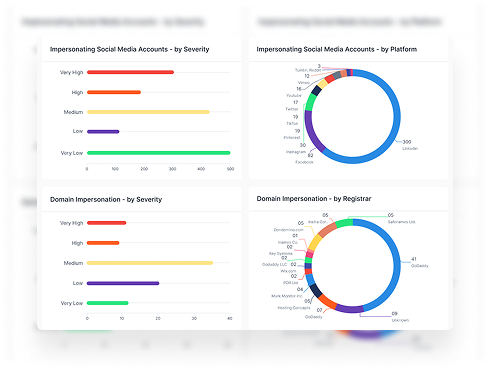
Styx connects these signals across domain monitoring, brand protection, and external attack surface visibility so your team can find lookalike domains as they go live and act before they are used against customers.
How to take a typosquatted domain down
Once your team finds a typosquatted domain, mitigation usually follows one of four paths.
1) Registrar abuse reports
Most registrars have an abuse desk for phishing, impersonation, malware, and trademark abuse. Always remember that evidence matters. Include screenshots of the fake page, phishing email headers, URLs, timestamps, and proof that the domain is abusing your brand.
2) Hosting takedowns
If the registrar does not act quickly, report the site to the hosting provider. Hosts may move faster when the domain points to a fake login page, malware download, or scam page that breaks their acceptable use rules.
3) UDRP and URS
For trademark cases, teams can use domain dispute processes. The Uniform Domain-Name Dispute-Resolution Policy (UDRP) can suspend or transfer a bad-faith domain. The Uniform Rapid Suspension (URS) is a faster option for clear trademark abuse.
4) Legal action
For severe campaigns, teams may escalate to legal action or law enforcement, especially when the domain supports fraud, malware, or customer harm.
Most typosquatting takedowns happen through registrars and hosting providers. UDRP, URS, and legal action usually come in when the case is clear, severe, or not resolved through standard abuse reports.
Styx Intelligence helps your team document abuse, collect evidence, submit takdown requests, track status, and escalate cases when needed, all in one platform.
Book a demo to see how Styx detects lookalike domains and manages takedowns in a single, unified platform.